

The console
tiller servestarts a local web console over the working tree and opens it in your browser. What needs you, what’s in flight, what’s next, and the whole tree to browse. It’s read-only. It shows copyable CLI commands for actions you run in your terminal.
If you’d rather it not open a browser, pass --open=false, or set it once for this checkout with console: { open: false } in the gitignored .tiller/local.yml. BROWSER=none in your environment does the same. The address is printed either way.
Access from a trusted network
Section titled “Access from a trusted network”Serve listens on 127.0.0.1:4400 by default, and --port picks another port. To read this
checkout from another device on a trusted LAN or private VPN, bind a network address:
tiller serve --host --open=false # every IPv4 interfacetiller serve --host 192.168.1.50 --port 4400 --open=false # one address you chooseReplace 192.168.1.50 with a locally assigned IP, and open one of the printed IP URLs on the
other device. Network mode serves the planning ledger, the .tiller/ Markdown, Markdown the
ledger cites, and recorded gate evidence, with no authentication and no TLS. No other checkout
file is served. Never expose it to the public internet; when only one network is trusted, bind
that network’s specific IP rather than a wildcard. The
serve contract covers IPv6, accepted hosts, request
checks, and startup errors.
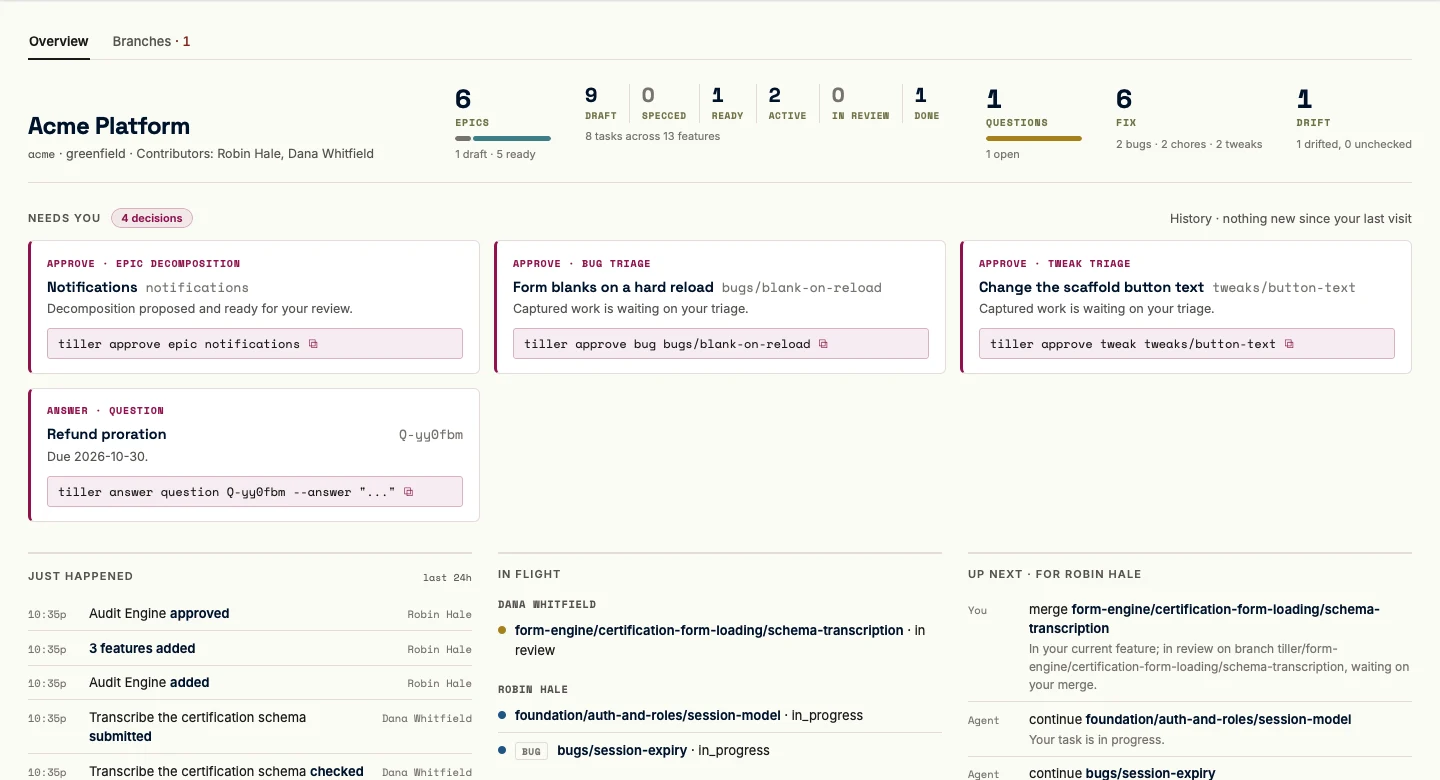
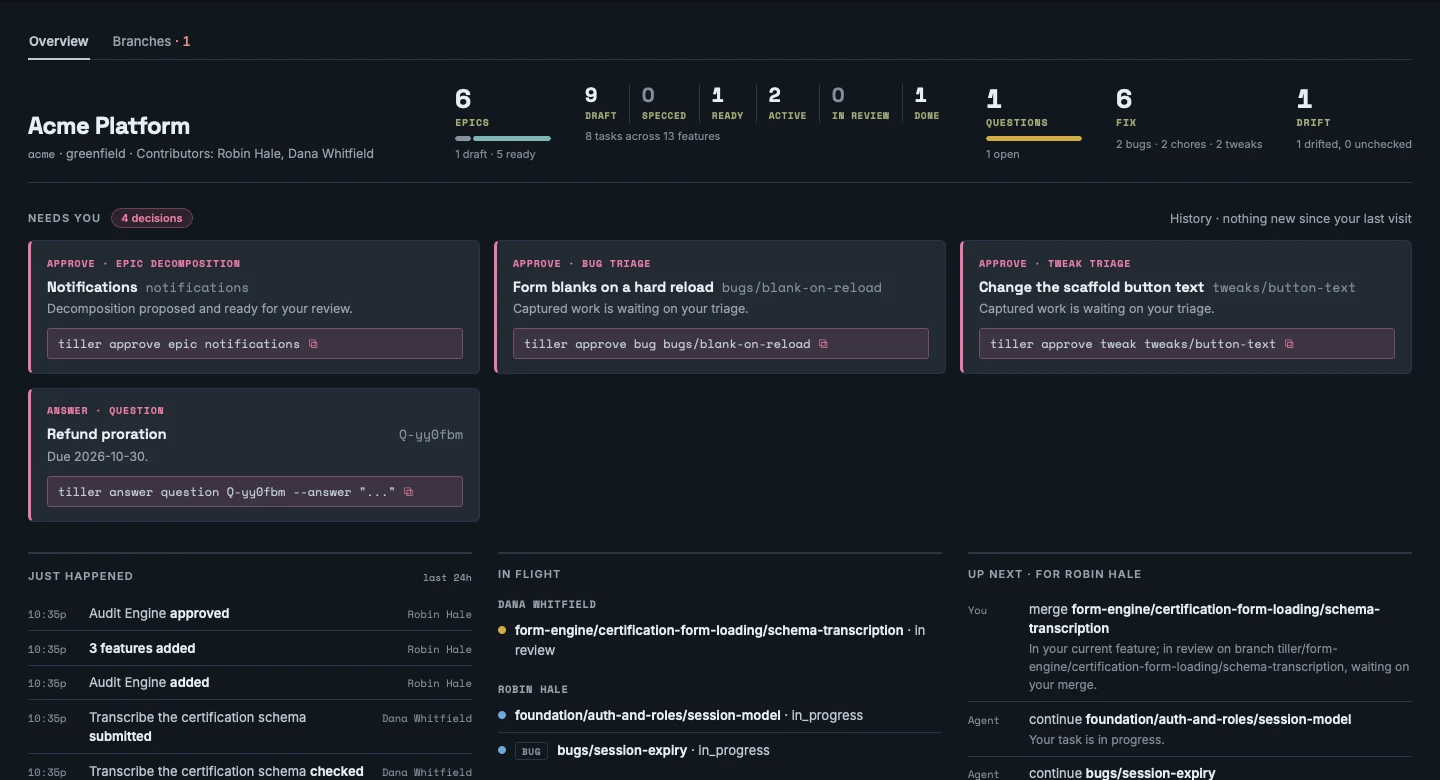
The console’s behavior is specified in the UI surface spec.
The console is a small set of lenses over one corpus, the whole working tree, and not a collection of separate tools. Main navigation is ordered Home, Explore, Build, Fix, Report, History. Fix opens the combined Bugs, Chores, and Tweaks shelf board at /fix. Every node you drill into renders on the same node page inside Explore’s shell.
Home, the desk
Section titled “Home, the desk”Home is where you land. Orient, see what needs you, act, leave. Everything on it is derived from the working tree; nothing is narrated.
Tabs head the page. Overview is the desk described below, and it is where Home opens. Branches holds the execution sources. Recovered reviews appears only while an epic or feature carries a recovered review record, and shows those records off the desk.
The header band
Section titled “The header band”The header band opens with the project’s own identity, then a row of tiles: Epics, the feature funnel, Questions, Drift, and Fix. The Epics tile counts epics by their own state. Beside it, the feature and task counts read as a funnel instead of two separate tiles, a six-segment strip matching Build’s own columns (Draft, Specced, Ready, Active, In review, Done), each segment a labeled count that clicks through to Build. A segment with nothing in it stays put, dimmed rather than dropped, so the strip’s shape never shifts as the project moves through it. The task count sits beneath the strip as a caption, “N tasks across M features,” and any status the six columns exclude gets named in that same caption as a retired count.
A Questions tile counts open questions. A Drift tile carries the drift count and clicks through to the same candidates-and-uncovered answer tiller drift gives, stating both rather than reading clean over anything the sweep couldn’t check. A combined Fix tile closes the row, with the open shelf count as its numeral and the split by noun as its caption (“6 bugs · 13 chores · 2 tweaks”), clicking through to the Fix lens. Each tile answers to exactly one navigation lens. Nobody wants a row of noun counts they’d never click through separately.
Dependency diagnostics
Section titled “Dependency diagnostics”When the recorded dependencies have a problem, such as two tasks that depend on each other, a section between the header band and the queue names it: execution blockers first, then any nonblocking epic grouping advisories. It’s the same classifier and wording tiller next --json and the CLI readiness checks use, and it never changes what Up next ranks. A clean tree shows nothing here.
Needs you
Section titled “Needs you”The action queue is what currently needs you, and it’s the part that makes the console a console and not a dashboard. Nothing in it clears on its own, so the work sits parked until you act. It gathers:
- epics awaiting approval of their decomposition, and features specced and awaiting approval of their plans;
- later-added tasks awaiting approval, and amendments staged, leading the queue since a staged reshape can supersede or cancel what the rows below it ask about;
- questions due for an answer;
- optional review gates and eval criteria still waiting on a human for in-review work;
- a feature whose every task is done with a required feature-grain gate unrecorded, parked here because nothing else in the tree is going to run it;
- bugs, chores, and tweaks awaiting triage, and a carried bug whose carrier was cancelled and so returned to the queue;
- a merge wait, once a coarse-grain reviewed feature or epic has its own PR on record, with
tiller syncas its command since sync is what observes any merge.
Each row opens the in-context review, with the action in reach beside what it approves.
A small queue renders as a grid of cards, one per entry, its command always visible; a card’s own kind pill already labels it, so a short queue needs no other chrome. A kind with more than five entries compresses instead into a decision band. A head names the kind, its count, and the reason every member in it is waiting, stated once instead of on every row. Every member still renders as its own row, two lines, the entry’s title over its mono address, with a due date or a question-hold annotation where one applies, and no command of its own. The row links to the node page, whose attention stack already carries that entry’s command, so the single-node flow is click through, review, act there.
A band never hides a member. The “N more” idiom used elsewhere on the console is for content with a fuller home somewhere else, and the queue has no fuller home than Home itself, so compression buys its height back only from the repeated chrome, never from a member.
Where the CLI has a batch command, the band’s foot carries it, the full multi-node tiller approve <noun> <node>..., copyable whole, phrased “approve all N after review,” after the rows and never as the band’s headline. Only the approve family gets a foot. An answer_question band has none, since every answer is distinct content, and a compressed later-added-task band has none either, since that command’s own batch flag can’t take positionals alongside a feature.
A small queue lays its kinds out as columns, one kind per column, packed as wide as they need starting around 360px and folding to one column on a narrower window. Past five decisions, with more than one kind waiting, the kinds go behind a tab rail instead, one tab per kind present, each carrying its count, one kind shown at a time, so the page is as tall as one kind and every kind on the queue stays in view by its count. The tab rides the URL as ?needs=<kind>, so a link can land a teammate on the chore triage, and each visit opens on the first tab. Whichever shape the queue takes, kinds keep the same gravity order the cards already followed: amendments, then attest, then approve, then answer, then the parked feature checks trailing the queue.
The pulse
Section titled “The pulse”Beneath the queue, Home reads past, present, and future, left to right.
- Just happened is a fixed-window slice of the event stream, rendered as the same collapsed-burst rows History draws, capped and linking to History for the rest. A quiet line states how many events sit behind your last-visit horizon, read without marking it, so this glance and History’s own digest still answer against the same instant.
- In flight shows unfinished task, bug, chore, and tweak assignments by owner, with features as context rather than whole workloads duplicated beneath contributors. Proposed, ready, blocked, checked, and in-review assignments remain visible without implying they are executable. The unclaimed rollup counts eligible individual ready tasks; Up next ranks them among your other moves rather than listing them all. Carried shelves wait on carriers. Blocked and held conditions remain distinct from lifecycle.
- Up next is the ranked next list for whoever this checkout is joined as, the same rows
tiller nextprints, at most five. The header names you, “Up next · for Robin Hale”. Each row leads with who moves, You or Agent, then the action, a link to the node (a question by its title), and why it ranks there. It can repeat a decision Needs you already shows: Needs you is the full inventory, Up next the short answer to what to do first. With no identity in the checkout the list falls back to plan order under a plain “Up next” header, and a muted line says to runtiller join. There is no show-all here;tiller next --alllists the rest.
Execution sources
Section titled “Execution sources”Home’s Branches tab lists the task execution the console observed in other local worktrees and branch tips, each with its source, branch, snapshot, and observation time, plus the visibility diagnostics for any source it could not use. The tab’s label carries the diagnostics count, in the warning tone, when there is at least one, and the list shows eight diagnostics with the rest one click away. The tab rides the URL as ?tab=branches, alongside any ?needs=<kind>. The console never fetches Git remotes; fetch outside it, then refresh. Execution sources appear only on this tab, not above every page.
Contributors are not current assignments
Section titled “Contributors are not current assignments”A feature or epic shows its Contributors: everyone who started one of its tasks, including tasks since finished, cancelled, or transferred. A ready reservation, a reviewer, or the creator is not a contributor from that alone. Owner filters match the person a task, bug, chore, or tweak belongs to; Contributor filters match the features and epics they worked under. A transferred task or shelf node links to its predecessor or successor, and the original keeps its history. The console shows the transfer command to copy but never runs it. See Contributors and claims for the rules.
Build is the state of the work as a board, with features as the cards. It has six fixed columns: Draft, Specced, Ready, Active, In review, and Done. A card lands in the column for its feature’s stored state, with one exception: a ready feature with a task in progress, in check, or in review sits in Active, because that is how the console observes it from the task branches, while the stored state stays ready. Features have no stored review state of their own, so the board derives one: when every task under a feature is in review or done, and a task PR or the feature’s own PR is still waiting, the card sits in In review. That is the stretch where the agents are finished and the work waits on a person to merge it. A feature whose tasks have all merged but whose feature check has not run stays in Active, because that is still agent work. A cancelled feature has no column. An epic list at the left is the lens, not a row on the board. You select one or several epics, only their features render as cards, and the default on a first visit is the active epics.
Each card carries its epic as a quiet kicker, the feature title, its Contributors, and the task rollup as done-count over total, with an expand control that opens the task list in place. Every expanded task row renders its status as a labeled chip, not color alone, and links to the task’s own page. The card body itself links to the feature’s node page, so the board is an entry point into the corpus and never a second, shallower copy of it. A feature with open bugs, chores, or tweaks attached to it or to one of its tasks carries a quiet linked count, done and cancelled shelf work excluded, and clicking it lands on the Fix lens filtered to that feature.
A manual blocked flag, a held ancestor, or a drift finding renders as a condition on the card wherever its stored state puts it, never as a column of its own, since a flagged active feature is still active. Cards within a column follow the same served order the rest of the console does, epics in the shared epic order, then each epic’s own features in the shared feature order. The done column runs uncapped, bounded in practice only by which epics you’ve selected.
The board is read-only, like everything else. No drag. A card is a thing you read and drill, not a thing you move.
Fix is the dedicated shelf-work lens, six columns in task vocabulary: Proposed, Ready, In progress, Check, In review, Closed. A bug, chore, or tweak card carries its noun as a chip, with the owner and the attached node as a quiet kicker.
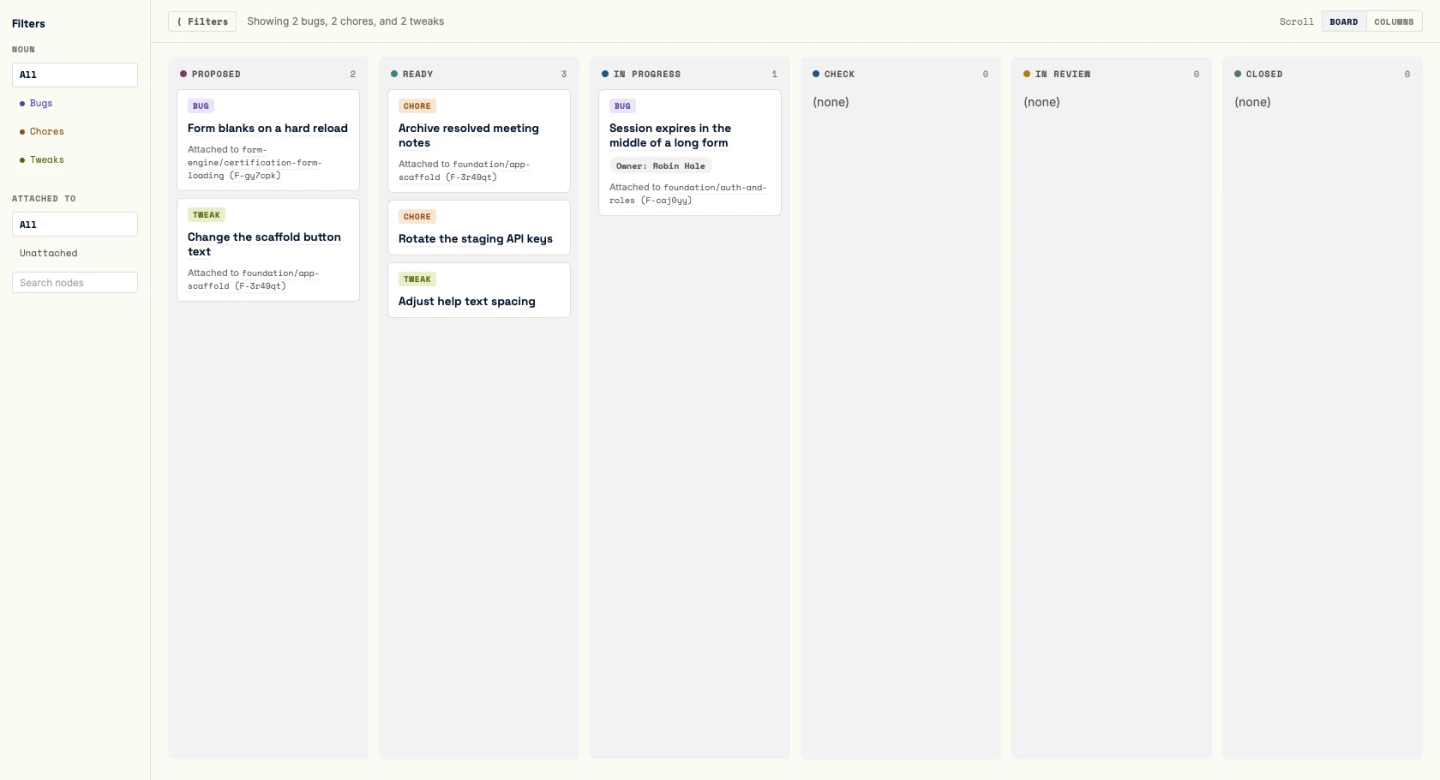
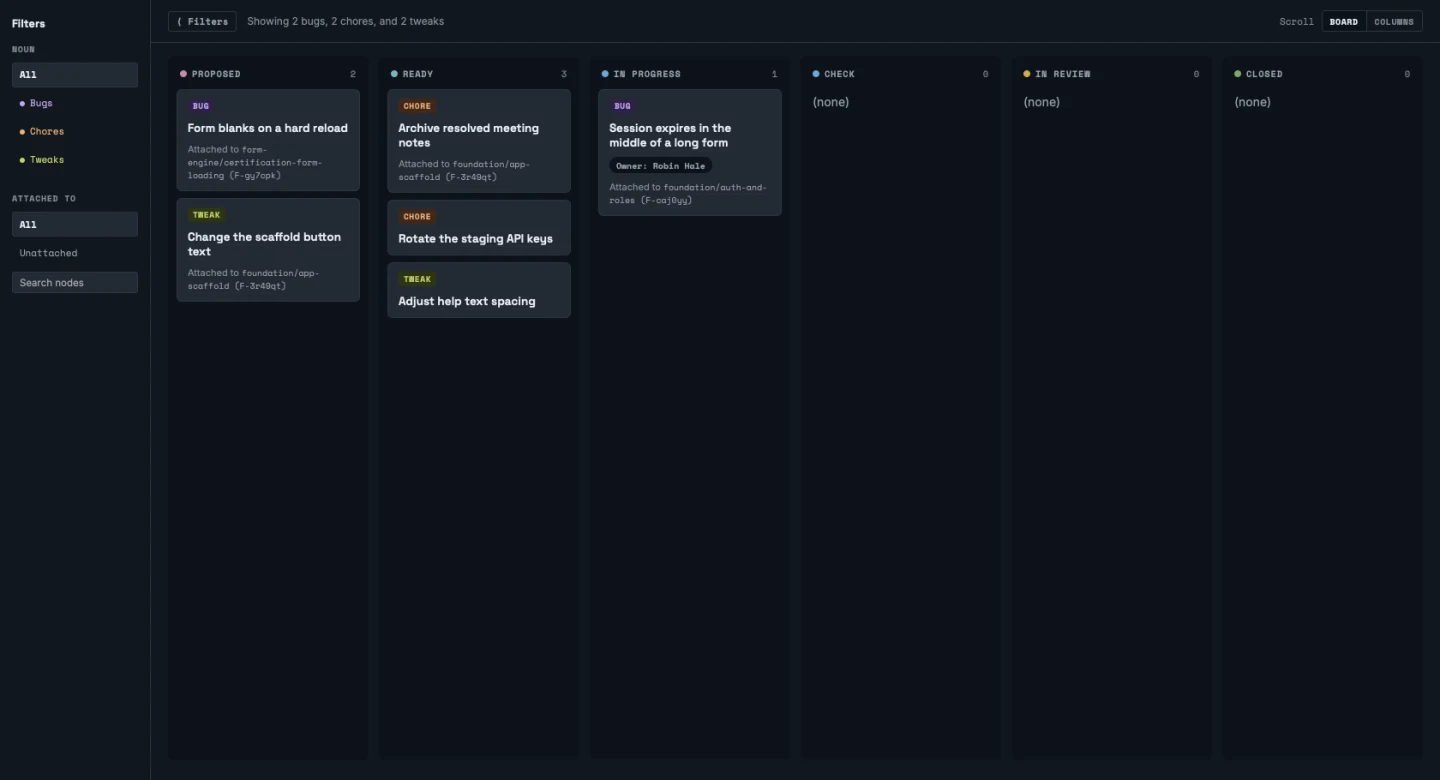
No card is draggable and the board offers no write interaction of its own.
Open work keeps shelf order. Nonterminal rows preserve the bug shelf sequence followed by the chore and tweak shelf sequences, then render in the column for their raw status, so the board reads in the same order you’d work the queue from the terminal. Closed is one terminal history, combining done and cancelled without replacing either raw status, newest terminal event first, showing the five newest by default with the full history one click away.
A noun filter (bugs, chores, tweaks, or all) and an attachment filter, including an Unattached state, ride the URL the way Build’s epic selection does, and the browser remembers them, with the Show older items switch, per project, so coming back to Fix restores the filters you left it with. A feature filter matches work attached directly to it and to its child tasks; an epic filter matches direct attachments plus everything under its descendant features and tasks.
Explore
Section titled “Explore”Explore is the altitude lens, a persistent left navigator beside a reading pane, and the shell every node and file page renders inside.
The navigation strip shows Browse, Filter, and Map, followed by a vertical separator and links to Questions and Amendments. Search opens from the box at the top of Browse; there is no dedicated Search tab, but direct search URLs still work. Questions carries only its open-count badge, with no total count. Amendments opens its own ledger without inherited filters. Both ledgers keep the navigator beside them, keep Explore highlighted in the top bar, and narrow by status from a rail of tabs, each with its count.
- Browse shows the work tree as a real tree, epics to features to tasks, with chevrons, indent guides, and a state dot on every row, alongside entry points for the cross-cutting artifacts: amendments, decisions, design docs. Bugs, Chores, and Tweaks are independent shelf branches below the epics, each with its own expansion state, and a direct address to a shelf node opens the matching branch; all are valid filter nouns too.
- The questions ledger opens from the navigation strip, with only the open count in the accent badge. The questions page lists every question, open ones first with id and short title, due date, what they block, and copyable commands to answer, cancel, or unlink one of the things it blocks, and answered ones staying listed with their answers inline. A fixed Cancelled tab lists cancelled questions, each card showing the reason it needed no decision. The full statement is one click away on the question’s own page.
- Filter and search share one persistent bar over the navigator. Search matches node fields and the project’s own markdown prose under
.tiller/. A node-owned hit keeps the ordinary node address; an unowned prose hit links its file and line to a read-only file page instead. A matching shelf title or shelf prose passage attributes to the owning bug, chore, or tweak node. Search stays keyword-only. No query language, no semantic search, and no ranking beyond plain matching.
The map
Section titled “The map”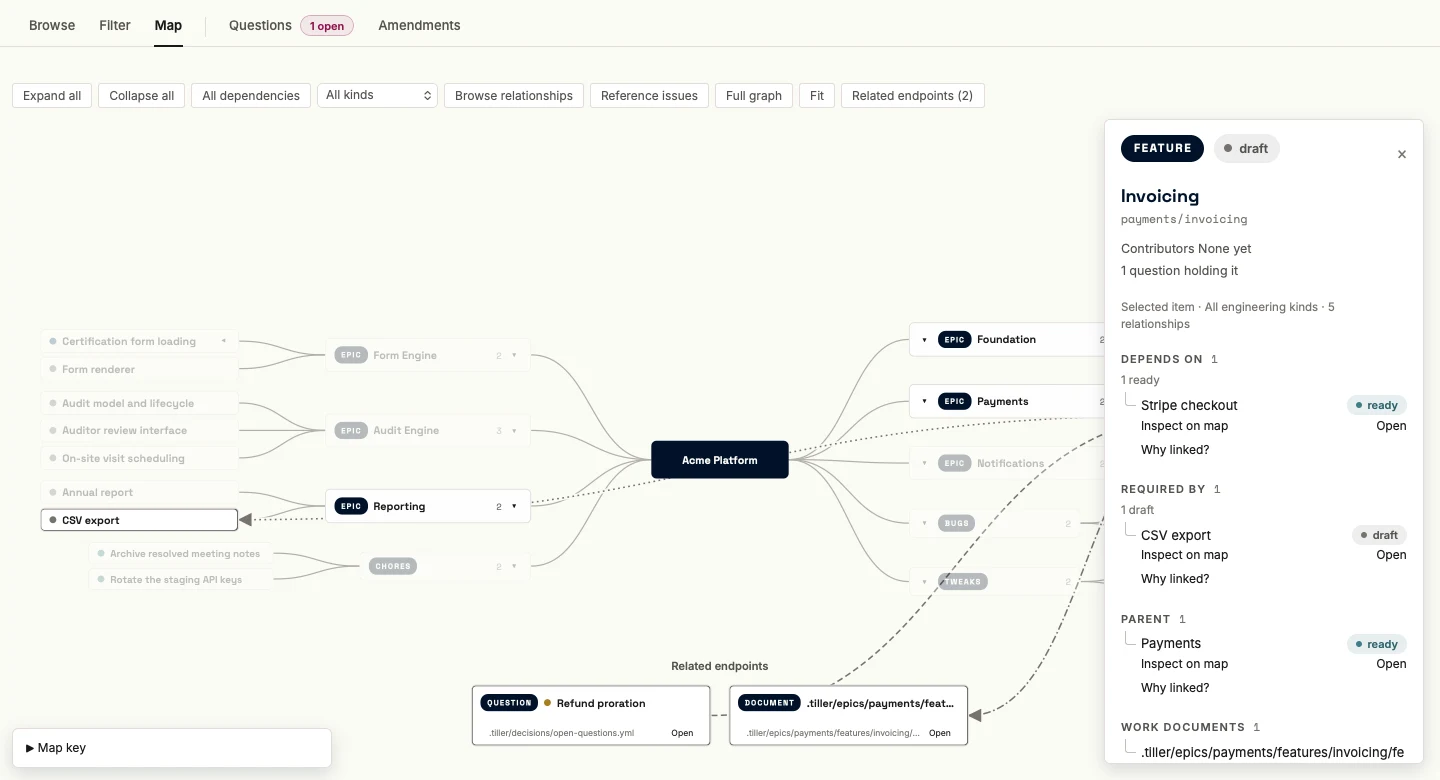
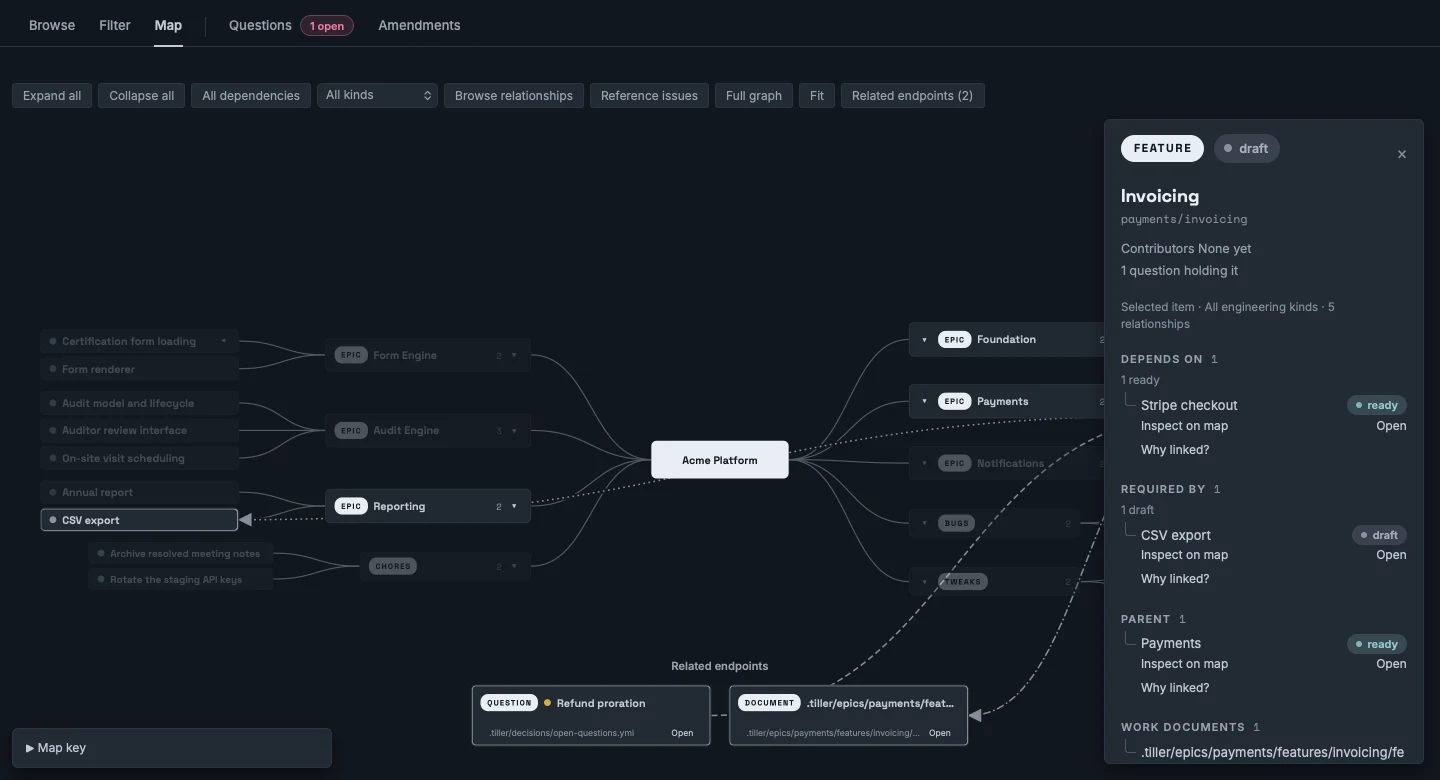
The map draws the whole project as a mind map. The project sits at the center. Epics branch out to either side, each seated beside what it depends on rather than by strict left-right alternation, so a chain of dependent epics tends to land together and fewer arcs have to cross the middle. Features sit beside their epic, tasks beside their feature, and Bugs, Chores, and Tweaks are three more branches off the root. A question hold renders as a small accent badge on the node it holds, counting only the questions that name that node directly.
Every card is sized to the map’s density. A branch card carries a chevron, its kind, and a count in muted mono when it’s closed. A leaf card (a task, bug, chore, or tweak) carries a state dot and its title, with the hold badge at the end when a question holds it. The fuller detail moves to the floating card once you select it.
Branch lines, project to epic, epic to feature, feature to task, are the only lines at rest. Click a card to select it and open its inspector at the map’s top right. The map lights arcs to its direct prerequisites and dependents, and for shelf work, where it was found and what carries it. The inspector separates Depends on from Required by, with each counterpart’s status, and groups the node’s other links: documents, sources, shelf links, questions, amendments, and declared code scope. Inspect on map selects a related item; Open follows it to its page. Why linked? shows the exact recorded source of a link when you ask. The Map key explains each line style, and clicking a key entry filters the map to that kind of link. Clicking the selected card again, clicking empty canvas, or pressing Escape deselects it and returns the map to rest.
A corner toolbar carries Expand all, Collapse all, the overlay controls, and Fit. The map opens collapsed, every epic and shelf branch closed with its count showing, fitted to the frame. Expand all opens every branch and fits the result. The canvas pans and zooms, and nothing else on the page scrolls.
The map addresses as ?mode=map, with the selected node as sel= in the URL, so a link drops a
teammate on the same node, lit up the same way. Which branches are open and where the viewport
sits are remembered per project in the browser instead.
The same relationships answer from the terminal through tiller query; run tiller query --help
for the catalog. The relationship query contract
and the UI surface spec cover the map’s full behavior.
Report
Section titled “Report”Report is the page to show a client. It answers how the project is going over time with numbers and charts only: no node lists, no links into Explore, and no people. It has two tabs, Project and Agent use; with agent usage capture off there is only the Project view. On the Project tab a strip of five figures leads (features done of total, items shipped in the last seven days, median cycle time, open bugs, open questions), followed by five charts: a feature burn-up against approved scope, weekly throughput split into feature work, fixes, and upkeep, bugs reported against fixed, lead and cycle time per completed feature, and a progress bar for each approved epic. Weeks start on Monday in the time zone of the machine running tiller serve, and the current week is drawn partial so it does not read as a slump. Draft epics are proposals and are not counted as scope. If your checkout is not on the integration branch, an amber notice says the numbers include unmerged work. The page is live in the console; it has no export.
The Agent use tab shows roughly how many model tokens the project’s coding agents spent: totals with cache reads kept apart, tokens per week, by stage of the workflow and by model, per finished feature, and a histogram of work items by size. It draws the usage files that tiller usage and tiller sync capture from local Claude Code, Codex, and Pi session logs once a project sets usage: { capture: true } in tiller.yml, summed across the team and never cut by person. A note names each harness measured and when its history begins; weeks before every harness was measured are hatched as partly measured rather than read as quiet. See Agent use for the full contract.
History
Section titled “History”History is the recency lens. It answers where the project stands and how it got there since you last looked. It reads the local event stream and renders state transitions grouped by stream and epic by default, or as a flat, day-grouped timeline in its other reading mode, with a window override, last day or last week, for the Monday-morning case. It draws the whole team’s activity present in this checkout, not only your own, since nothing on the console hides behind identity.
A run of consecutive same-type entries by the same actor collapses into one row that counts them and states what happened once, expanding in place to the entries beneath it. The count is the chart. A collapsed row states one time only when its first and last entry share that time at the precision it prints, and states the span otherwise, so a row can never claim a week happened at an instant.
History states what changed and never restates what’s open. An ask renders as a past-tense count of events, not a second copy of the queue, and links back to Home rather than duplicating Home’s own live number. Every row addresses the node its event touched and links to it, and a window is its own address too, so a wider one is one click away from a digest that came up empty. A group carries a bounded number of routine entries but never drops one that asked something of you. What a cap does drop isn’t recoverable through this view, by design. A wider window and the node’s own history hold the full record, and a digest that refuses to truncate anything is a log, not a digest.
The visit horizon belongs to History alone. Opening it on its default window is what advances the mark. Nothing else on the console (landing on Home, drilling a node, running a search) moves it, so a fixed-window slice like Home’s Just happened never spends a digest you haven’t read.
The node page
Section titled “The node page”Every node-owned drill, queue item, History entry, and search result lands on the same node page, one consistent surface instead of a layout per type. It renders inside Explore’s shell, with the browse navigator standing at its left, opened to the node’s own position in the tree.
No gate crossing happens blind. Opening a queue item lands you on the node it asks about, with what the action would change rendered in full: a decomposition as the tree of proposed nodes with their change types and provenance, an amendment as its staged operations, a feature as its spec and eval criteria. The exact command sits beside it, copyable. The console never writes. You run the command in your terminal, and the page picks up the result on its next refresh.
The header
Section titled “The header”The header reads as a chain. Ancestors render as a breadcrumb, each crumb carrying its own state chip, with a separator between crumbs and none after the last. Below that sits a kind line, the noun on a solid kind pill (Epic, Feature, Task, Bug, Chore, Tweak, Question, or Amendment) beside the node’s own state chip at a hero size a step above the crumbs’ chips, with the recorded gate ticks and any Drifted, Held, or review-grain chip on the same line.
Then the title stands alone, then one quiet mono reference line carries the canonical key path with the id in parentheses and a copy affordance, so two nodes that happen to share a title are still tellable apart. An epic or a feature adds the children’s state bar beneath that, with a count caption such as “5 features · 5 done.”
One facts block follows, label over value, under the header’s one divider. Contributors for epics/features; Owner for tasks, bugs, chores, and question attribution. Proposed by, when it names someone other than the owner. Found in and carried by on a bug, chore, or tweak, each linking to its target with the target’s own chip. Branch, PR, change and touches. The basis, verified against once the node is done and approved against before, each reference a short sha with the full token on hover and linked to its page when the origin is GitHub. And the done basis.
The attention stack
Section titled “The attention stack”Every item currently asking a person for something on the node renders as its own box with its own command, all stacked at once rather than cycling one at a time, decisions in the loud register and cautions such as an unpushed review commit in a warning register. A page that showed one ask at a time would turn the second ask into a surprise, so the stack shows them all.
A node touched by drift carries a Drifted chip beside its state. It’s in the blocked register only where the condition actually refuses a verb (an active-basis drift anywhere, or an unreviewed answered assumption at a task ready to submit), and in the same neutral register the stale gates use everywhere else, so finished work is never painted blocked at a glance. Clicking the chip opens a drift panel, one row per finding with its detail, the files it touches, the revision it was found since, and its clearing move as a copyable command where one exists, tiller approve --refresh-basis for a basis drift and tiller approve --reviewed-assumption for an answered assumption. A refusing condition’s panel opens by default; a neutral chip opens on a click. A held node carries a Held chip in the same blocked register, naming the retired ancestor holding it.
Below the header the body renders as a row of tabs, an underline rail. A feature’s tabs are Spec, Contract, Tasks, Dependencies, and History. An epic’s are Spec, Contract, Features, Dependencies, and History. A task’s are Spec, Gates, Dependencies, and History. Spec is the default tab, prose renders whole with no read-more folds, and code and PRs link out rather than rendering inline. A tab whose content is a countable list carries its count in the label, and a countable tab at zero, including the Contract tab of a node with no acceptance contract, doesn’t render at all. A tab that opens onto nothing only teaches you to stop clicking tabs.
An epic, a feature, or a task with attached shelf work adds a Fix tab the same way, for bugs, chores, and tweaks attached to it directly or rolled up from its descendants, and one with amendment history adds an Amendments tab. A bug, chore, or tweak page uses the task’s own tab shape (Spec, Gates, Dependencies, and History), since it carries the task’s lifecycle, with its header linking Found in and Carried by. A question’s page stays flat, with no tab row at all. The complete statement, then the answer.
Backlinks
Section titled “Backlinks”Tabbed nodes have a separate Backlinks tab; questions and amendments show the same material as a flat section. It groups incoming references by relationship kind and counts distinct source identities. A document keeps its own identity and its owning work, if any, plus every citation location. Repeated mentions do not inflate the source count. Generated orientation mentions are shown separately from authored sources.
Open a document citation to reach its exact file and line. Known work, question, and amendment sources open their node pages. Unknown references and code/external coordinates never become broken node links. Dependencies, effective question holds, attachments, and amendment operation panels keep their existing roles rather than being repeated as backlinks.
Incomplete extraction is shown, never read as zero references. The UI surface spec defines how backlinks are gathered and counted.
Review at the grain that fits
Section titled “Review at the grain that fits”An epic or a feature page shows a quiet review grain: feature or review grain: epic chip when its resolved setting differs from the task default. Once a coarse review surface is recorded, Home shows one Merge · feature PR or Merge · epic PR card and routes you to the reviewed node’s merge instead of presenting every riding task as a separate wait.
Review grain doesn’t hide unsafe work. Active-basis drift, operative questions, reviewed assumptions, task readiness, review identity, and retired ancestors still block coarse submit. The console keeps those remedies visible and doesn’t manufacture a merge card for a refused review.
An aggregate review that merged before Tiller recorded it shows its recovered review record beside current acceptance, and Home recommends tiller sync on the integration branch rather than another PR. No console read queries a PR host.